DND Dice Roller

DnD Dice Roller
Dungeons and Dragons (DnD) is a popular tabletop role-playing game that has been around for decades. With its growing popularity, many online platforms have emerged to provide a convenient and accessible way for players to enjoy the game. One of these platforms is an online Dnd Dice Roller, which offers players a free and easy way to roll dice and determine the outcome of their character's actions based on the dice result.
D&D is highly convenient to play online. Players no longer have to rely on physical dice, which can be easily lost or damaged and can instead access a virtual 3d dice roller from any device with a high internet speed connection.
Another benefit of using an online DnD Dice Roller is the variety of dice available. Physical dice come in a limited range of shapes and sizes. Instead, online dice rollers often offer a wider selection, including different dice styles and types. The players can decide the satisfactorily suited dice according to their requirements.
Dice Types
With a comprehensive selection of dice rolls(d4, d6, d8, d10, d12, d20, and d100), you'll easily find the right dice for any situation.
| Dice Type | Name | Description |
|---|---|---|
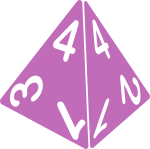
| d4 | Four-Sided Dice | A four-sided die has a pyramid shape. It's commonly used in tabletop games to determine a number from 1 to 4. |
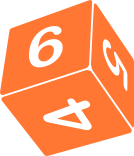
| d6 | Six-Sided | It's used to generate a random number between 1 and 6. |
| d8 | Eight-Sided | It's often used in tabletop games to determine a number from 1 to 8 |
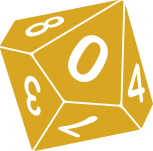
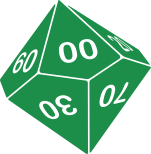
| d10 | Ten Sided Dice (Including Percentage Dice) | A ten-sided die, including percentage dice with multiples of 10 on its sides. It's used to generate random numbers between 1 and 10 or to determine a percentage. |
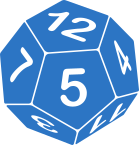
| d12 | Twelve-Sided Dice | A twelve-sided die. It's commonly used in tabletop games to determine a number from 1 to 12. |
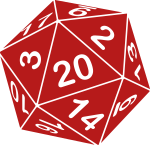
| d20 | Twenty-Sided Dice | A twenty-sided die is often used in role-playing games to determine the success or failure of actions. It generates a number from 1 to 20. |
Why you should Consider DnD Dice Rollers
Our D&D Dice Roller is designed to be fast, reliable, and easy to use, so you can spend less time fiddling with dice and more time immersing yourself in your game. Below is some aspect to choosing the DND Dice Roller
Roll Multiple Dice: In addition to standard dice rolls, our D&D Dice Roller also features advanced options, such as the ability to roll multiple dice at once.
Add Bonuses: Using D&D Dice Roller, You can apply bonuses or penalties to your dice roll results.
Accuracy: The results of each roll are generated by a random number generator, ensuring that each roll is fair and unbiased.
Speed: With the ability to roll multiple dice at once, you can save time and speed up gameplay.
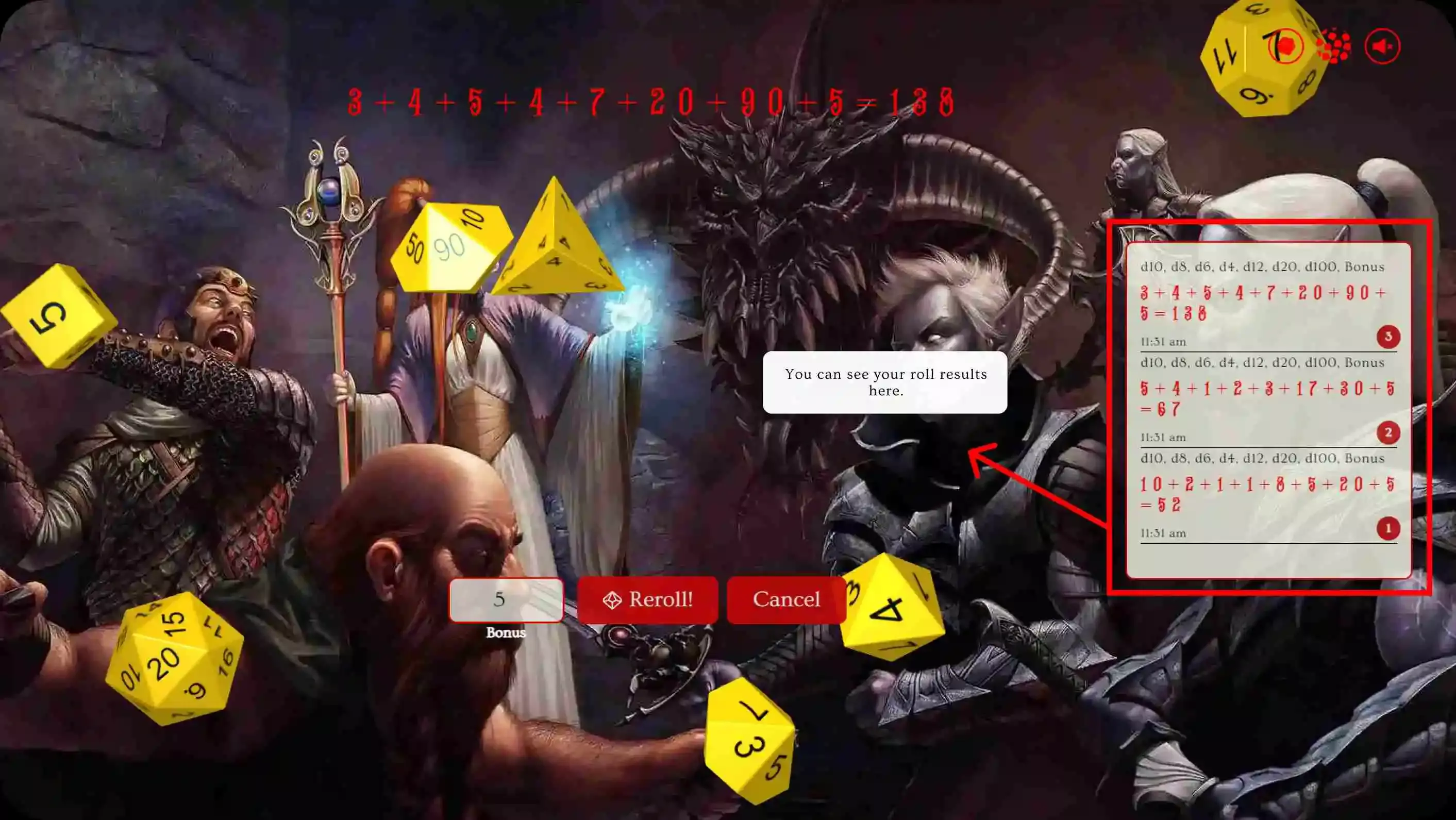
Record Keeping: D&D Dice Roller keeps records of all dice rolls, making it easy to track results and progress.
User-friendly interface: It is designed to be easy to use and navigate, with a simple interface that allows you to quickly change the background, select your dice combination and make rolls.
So why wait? Give our D&D Dice Roller a try today and experience the ultimate in tabletop gaming convenience.
Dice Odds at a Glance
Every standard D&D die is fair: each face is equally likely. The average roll of any die is (sides + 1) ÷ 2. Pick a die to open its own roller with a full odds table.
| Die | Results | Average roll | Chance of each face |
|---|---|---|---|
| d4 | 1–4 | 2.5 | 25% |
| d6 | 1–6 | 3.5 | 16.67% |
| d8 | 1–8 | 4.5 | 12.5% |
| d10 | 1–10 | 5.5 | 10% |
| d12 | 1–12 | 6.5 | 8.33% |
| d20 | 1–20 | 10.5 | 5% |
| d100 | 1–100 | 50.5 | 1% |
Features
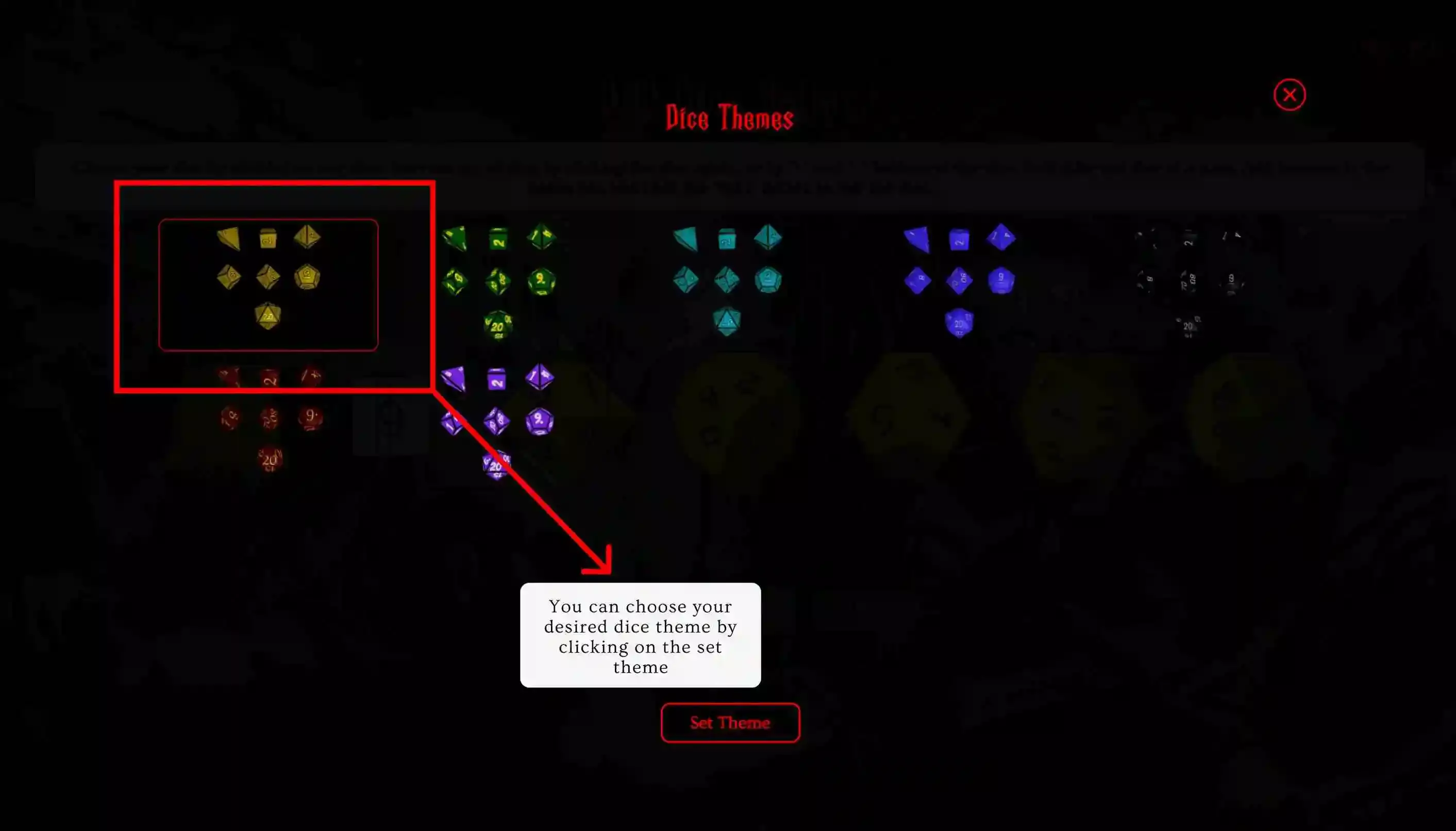
1: Dice Style Players can choose from multiple styles of dice available. By clicking on the dice style button, You will get multiple style options in the pop-up window, which you can choose from easily.
2: Roll Multiple Dice At Once DnD Dice Roller comes with multiple dice roll option. Players can roll more than one dice of same type or roll multiple type dices at once or use the both.
3: Change Background For those who would like to personalize their experience, we offer a variety of background options to choose from. Simply press the 'background' icon and select the desired background image or add your own image. DnD Dice Roller provides options to fit your preference.
4: Dice Roller log The Dice Roller Log is a feature that allows players to track and monitor their dice roll result. Some key benefits of the Dice Roller Log include
- Recording of results: The Dice Roller Log records the results of each roll, making it easy to keep track of results and monitor progress.
- Easy access: The Dice Roller Log can be viewed easily on the right side of the screen
- Clear presentation: The Dice Roller Log presents results in a clear and easy-to-read format, allowing players to quickly and easily understand the results of their rolls.
By providing players with a clear and accessible way to track their dice rolls, the Dice Roller Log adds a level of accountability and transparency to tabletop gaming. Whether you're playing a classic game or creating your own custom game, the Dice Roller Log provides a quick and easy way to monitor your results and track your progress.
5: User-Friendly Interface Dnd Dice Roller is designed to be user-friendly and easy to navigate, with clear instructions and intuitive controls. With these options, we aim to make https://dnddiceroller.org/ versatile and convenient for tabletop gamers.
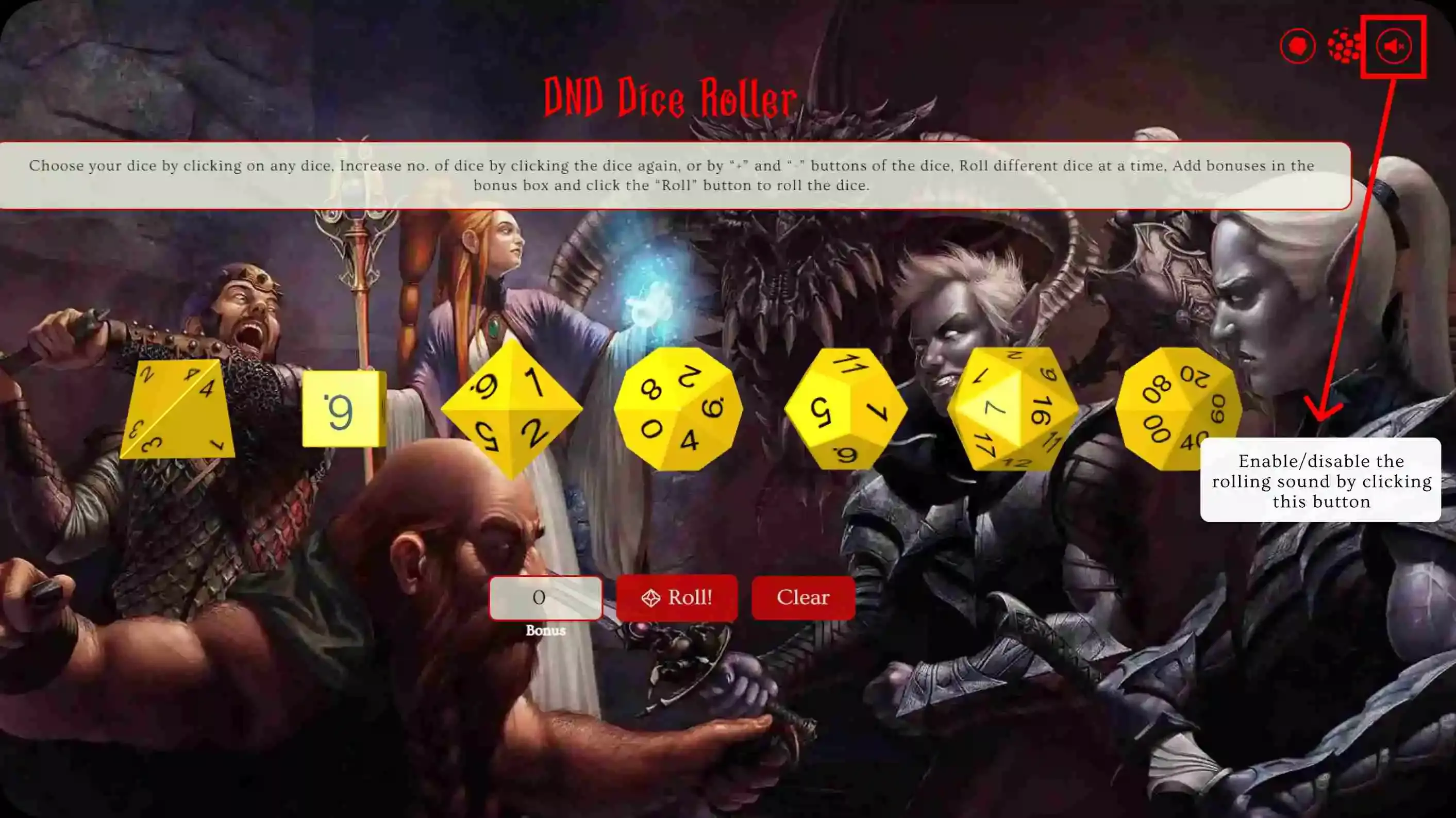
6: Sound Enable/Disable You can enable or disable the sound depending on your choice and requirement.
Dice Notation Explained
D&D writes dice rolls as NdX + M: roll N dice with X sides and add M. If N is missing, roll one die.
- 1d20 + 5: roll one d20 and add 5. Used for attack rolls, saving throws and ability checks.
- 2d6 + 3: roll two d6s and add 3, for a total from 5 to 15 (average 10).
- 8d6: roll eight d6s and add them, from 8 to 48 (average 28). This is Fireball's damage.
- 4d6 drop lowest: roll four d6s and ignore the lowest. Used to roll ability scores; see the 4d6 roller.
- d%: another way to write d100, a number from 1 to 100.
To roll any of these here, click a die once for each die you need, type the modifier into the Bonus box and press Roll.
Advantage and Disadvantage
With advantage you roll two d20s and keep the higher; with disadvantage you keep the lower. Advantage raises the average d20 roll from 10.5 to 13.825, and disadvantage lowers it to 7.175. The effect is biggest when you need around 11.
| Need on the d20 | Normal | Advantage | Disadvantage |
|---|---|---|---|
| 5 or higher | 80% | 96% | 64% |
| 8 or higher | 65% | 87.75% | 42.25% |
| 11 or higher | 50% | 75% | 25% |
| 15 or higher | 30% | 51% | 9% |
| 18 or higher | 15% | 27.75% | 2.25% |
| Natural 20 | 5% | 9.75% | 0.25% |
To roll with advantage here, select two d20s, press Roll and keep the higher number.
More Dice Tools and Guides
- Dice calculator: roll any expression like 2d6+3 or 4d6dl1 with the dice calculator, or see the exact odds of any roll with the dice probability calculator.
- Character creation: roll ability scores with the stat roller or 4d6 drop lowest.
- Spells: roll damage for Fireball, Eldritch Blast and more with the spell damage roller.
- Monsters: browse every D&D 5e monster in the SRD and roll a monster's attacks, damage and hit points.
- For DMs: the initiative tracker, encounter calculator and name generator.
Popular guides:
- How to Play D&D: A Beginner's Guide
- How to Roll Stats in D&D 5e: 4d6 Drop Lowest, Standard Array & Point Buy
- Advantage and Disadvantage in 5e: How It Changes Your Odds
- Dice Notation Guide: What 2d6+3 Means and How to Read Any Roll
- Are Online Dice Rollers Truly Random? We Rolled Each Die 1,000,000 Times
How To Use
Playing Dungeons & Dragons (D&D) involves a lot of dice rolling to determine the outcome of various actions and events in the game. Instead of using physical dice, you can use a digital D&D dice roller to make the process easier and more convenient.
Let me show you how to use a D&D dice roller for your gaming sessions.
Step 1:Choose Background
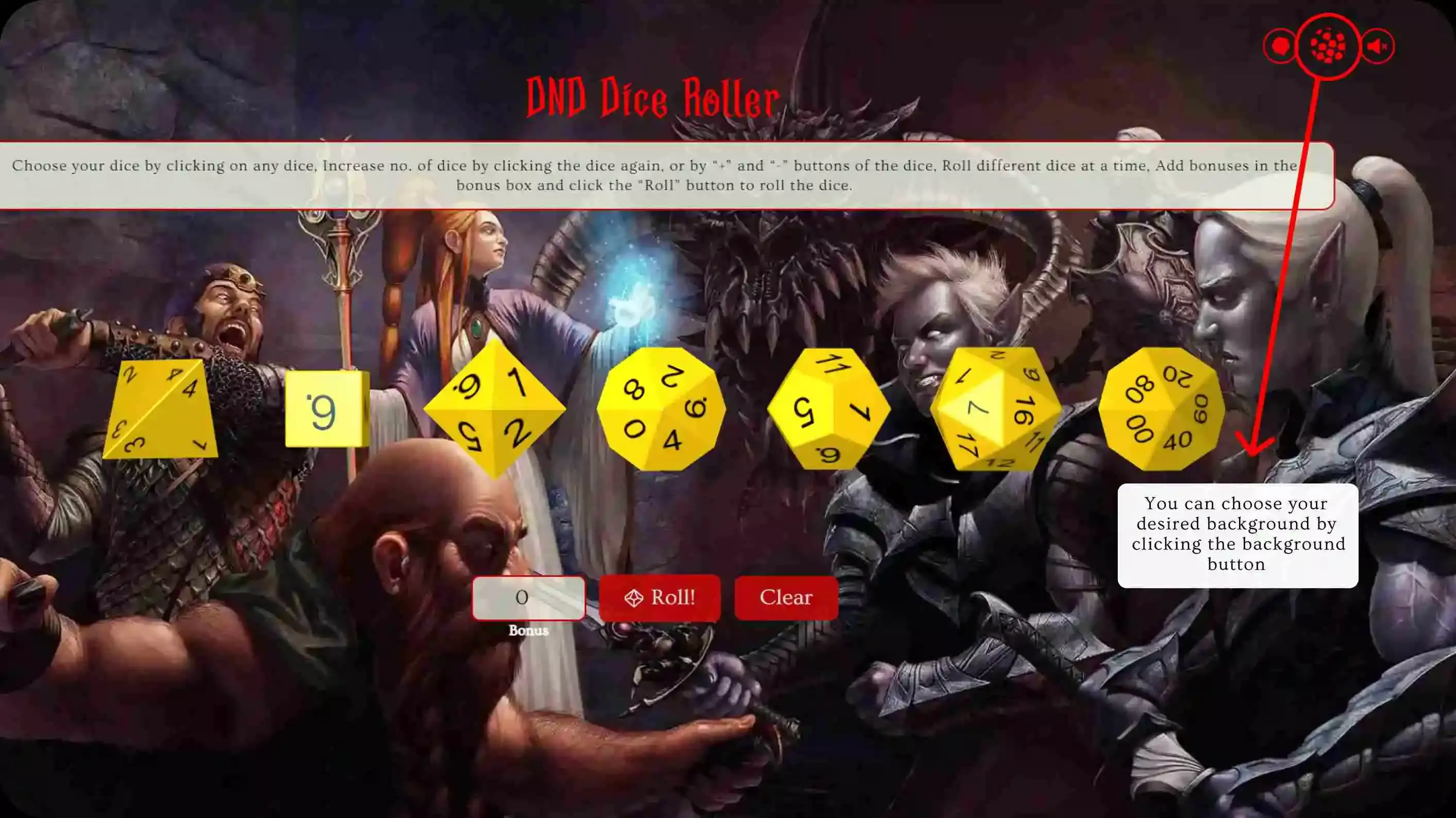
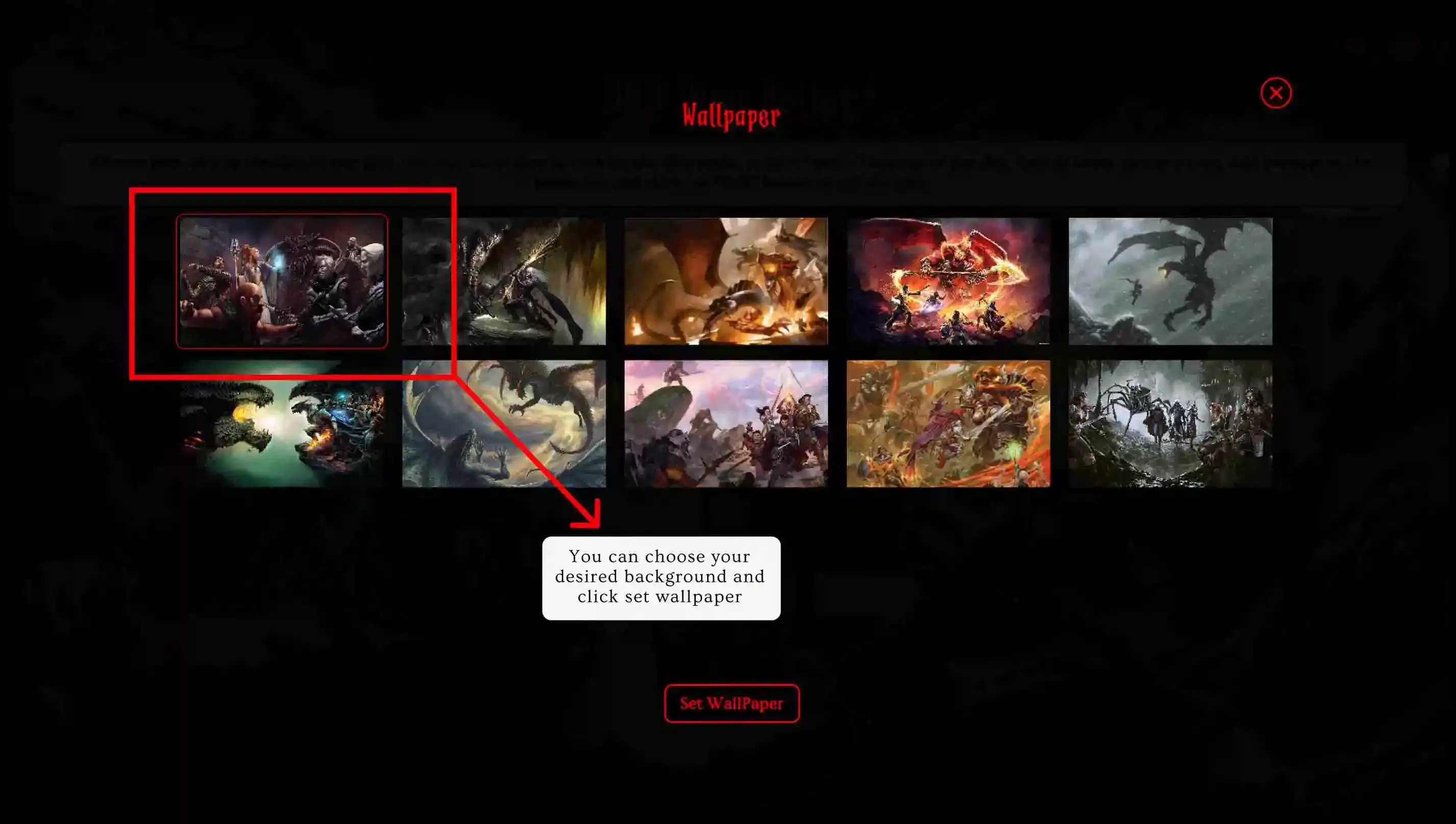
We have different backgrounds in D&D Dice Roller. You can choose your desired background by clicking the background button in the top right. A pop-up window will appear with the background list. You can choose any of them or set your own background.
Step 2: Choose Dice Theme
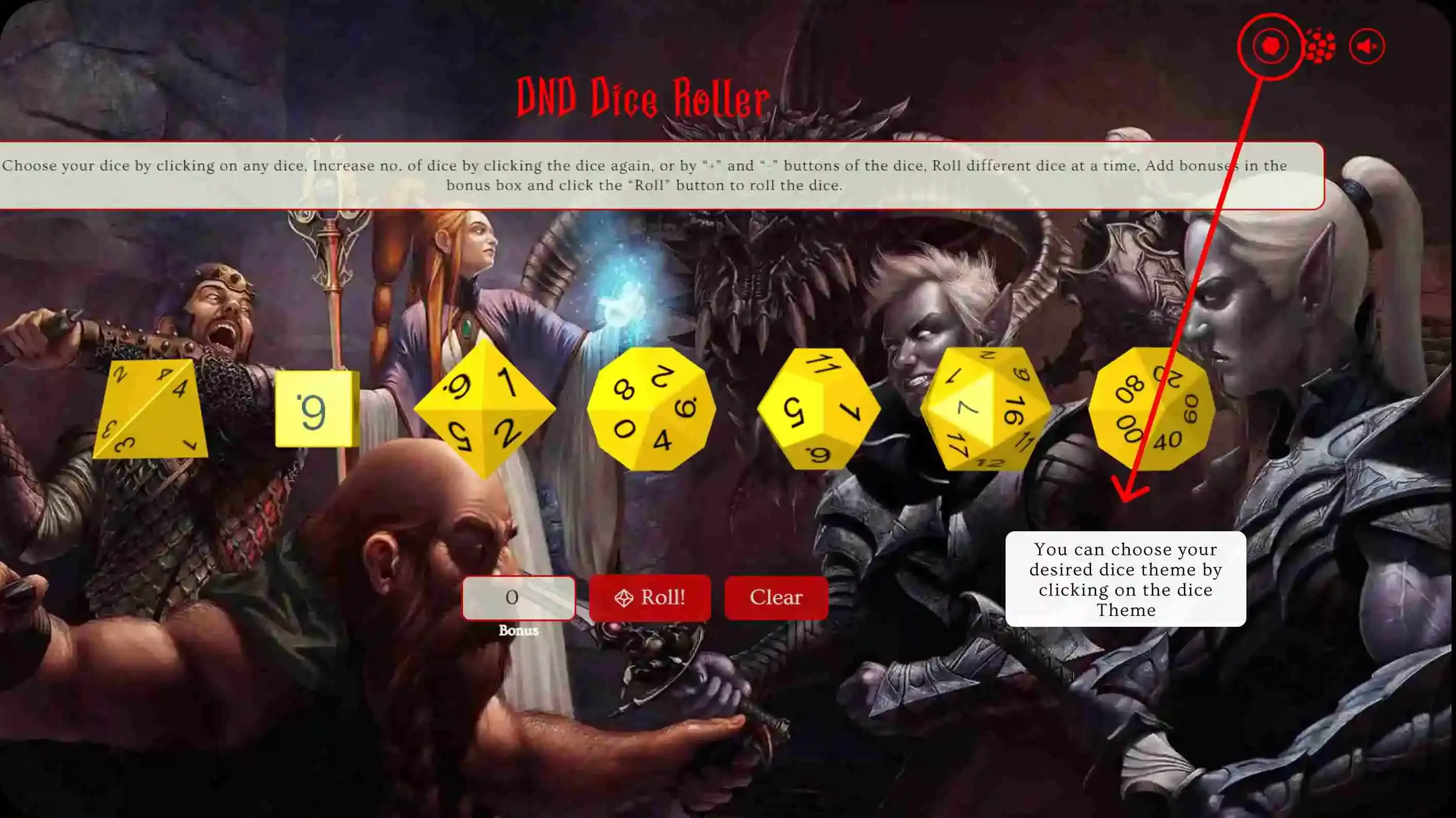
Also, We have different dice themes on D&D Dice Roller. You can choose your desired dice theme by clicking on the dice theme button in the top right. A pop-up window will appear with the dice theme list after clicking the button. You can choose any theme to start playing.
Step 3: Enable/Disable Sound
Also, Another interesting feature is the dice rolling sound. You can enable/disable the rolling sound by clicking on the top right sound button.
Step 4: Choose D&D Dices to Roll
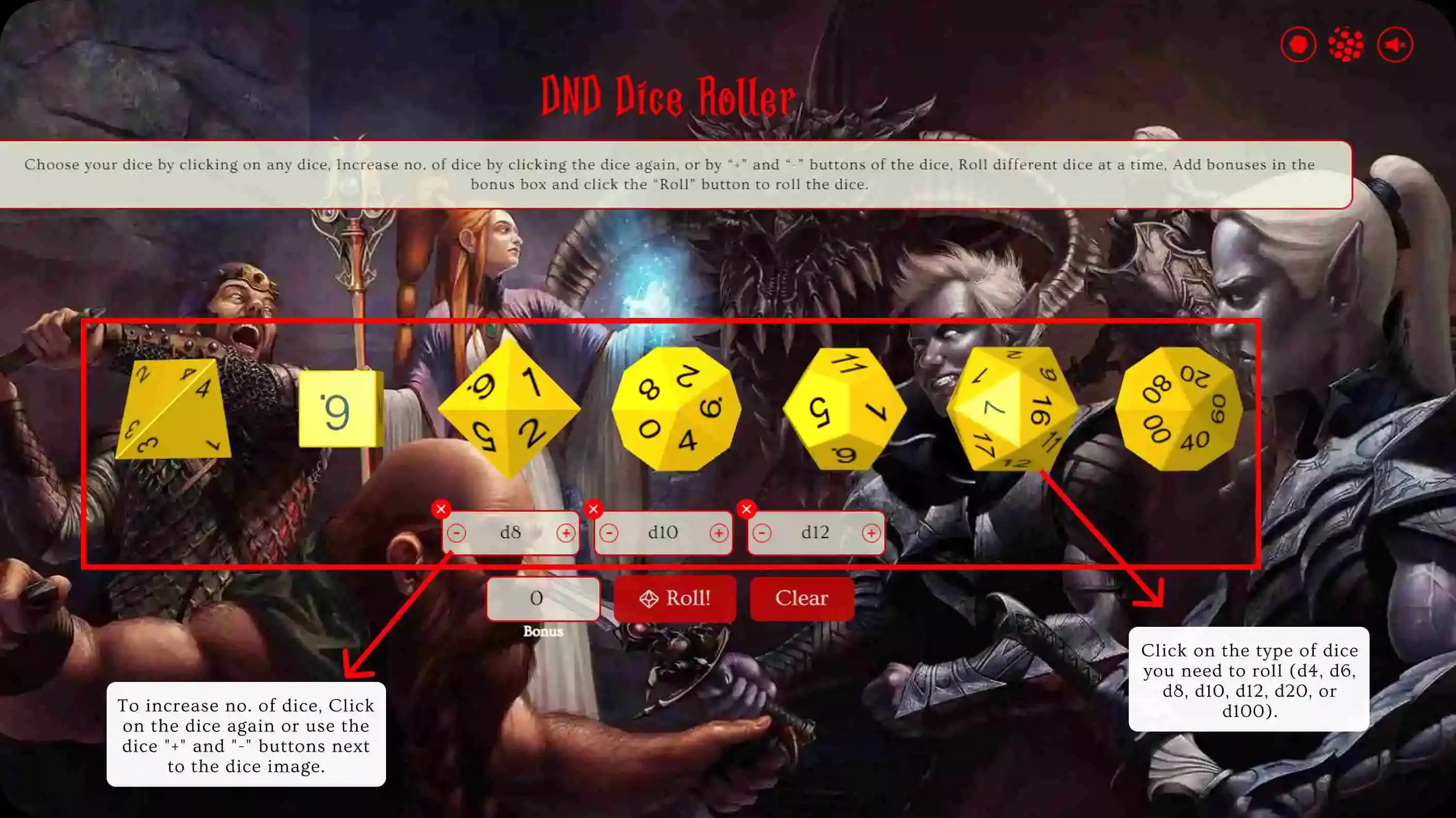
The step is to choose a D&D dice roller or type that suits your needs. You will see a variety of different dice types. Click on the type of dice you need to roll (d4, d6, d8, d10, d12, d20, or d100). You can select more than one dice of the same type or different types to roll. To increase no. of dice, Click on the dice again or use the dice "+" and "-" buttons next to the dice image.
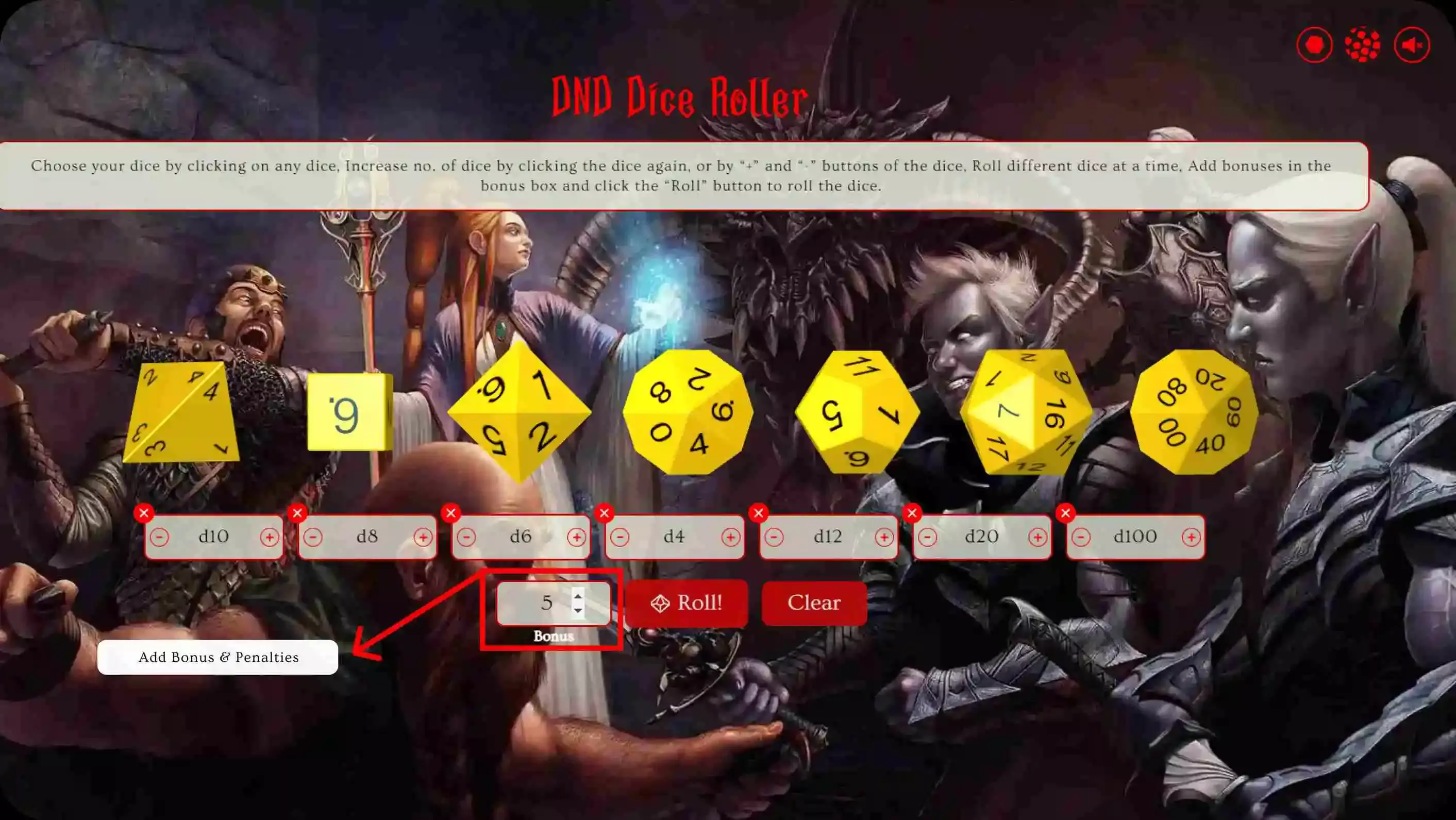
Step 5: Add Bonus & Penalties
Next, If you want to add bonuses & penalties to the dice roll results, choose the number you want to add to the result from the box left to the Roll button.
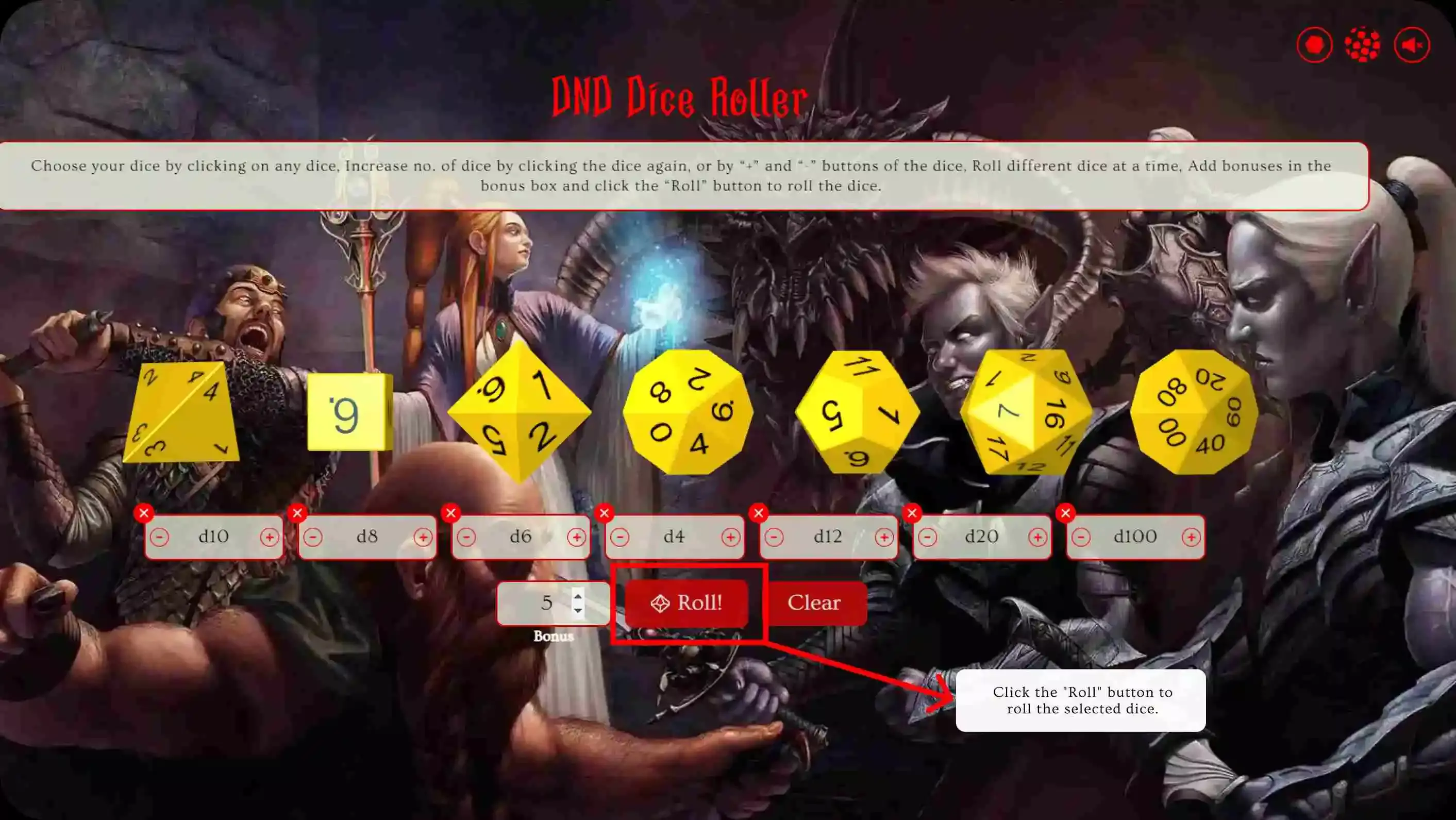
Step 6: Roll the Dice
Next, Click the "Roll" button. The website will roll dice and display the result on the screen.
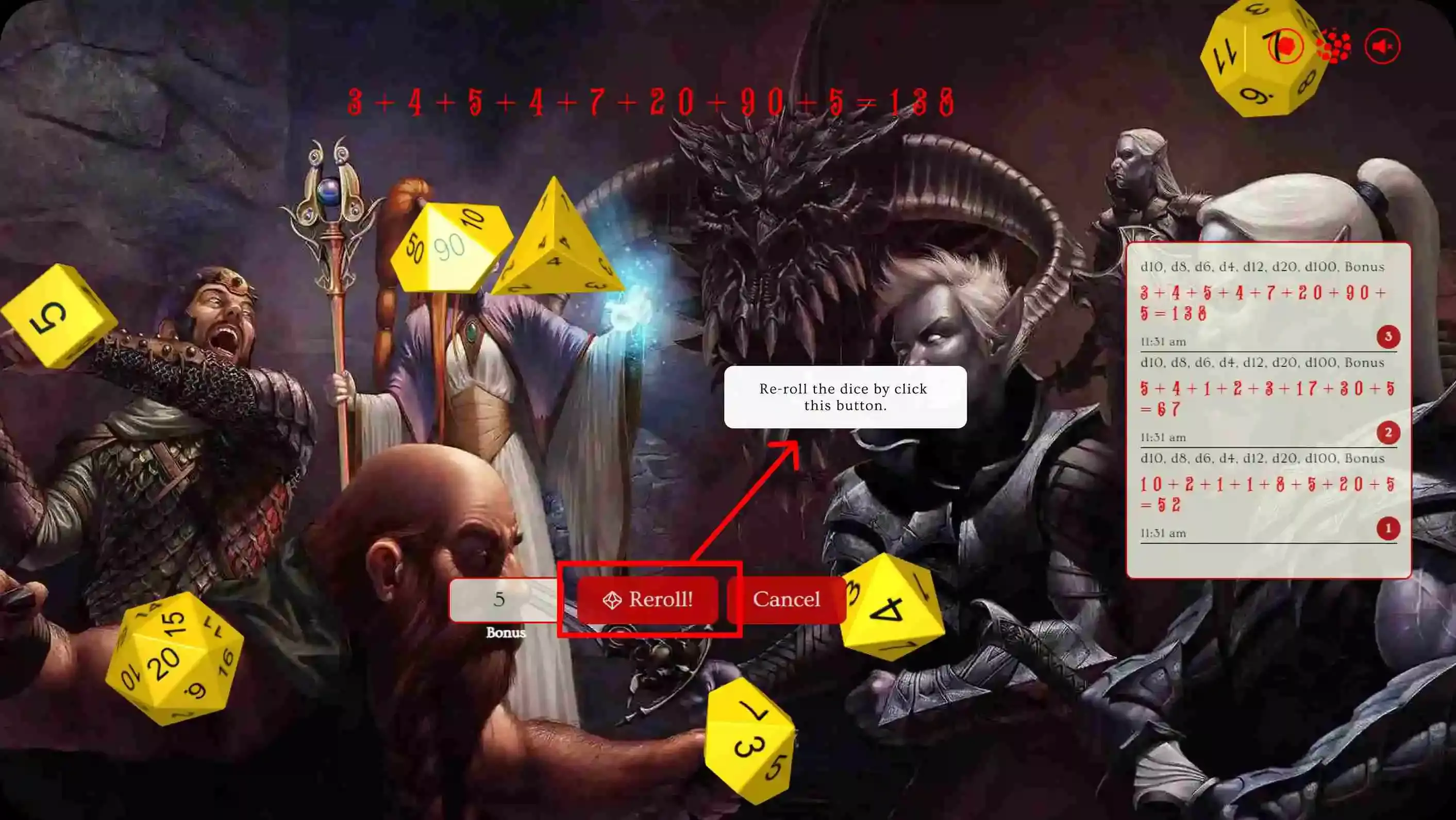
Step 7: Re-Roll the Dice
If you want to re-roll the dice, Simply click the re-roll button. If you want to go back, Click on the cancel button.
D&D Dice Roller- FAQs
DnD Dice Roller is designed to be an easy-to-use platform for players of the popular tabletop role-playing game, Dungeons & Dragons. Whether you are new to the game or an experienced player, our D&D Dice Roller makes it easy to generate random results for your rolls without the need for physical dice. So, if you have questions about using our website, read on to find the answers you're looking for, or drop a message or a query to get an instant reply.
Q: What is a D&D Dice Roller?
Ans: D&D Dice Roller is a virtual 3d dice roller designed for the tabletop role-playing game, Dungeons & Dragons. In this game, players roll dice to determine the outcome of their actions and decisions. The D&D Dice Roller allows players to simulate dice rolling, generating random numbers that can be used in the game.Our website provides a simple and easy-to-use interface that allows players to roll any combination of the standard dice used in Dungeons & Dragons, including d4, d6, d8, d10, d12, d20, and percentile dice (d100).
Q: How do I use the D&D Dice Roller?
Ans: Our D&D Dice Roller is easy-to-use and straightforward. For example, if you want to roll two "d20" dice, select "d20" dice and increase no. of dices by clicking on the "+" button in the box below the selected dice or click again to the dice. Then, click the "Roll" button, and the website will roll dice and show the result. Check the complete guide on How the use Dnd Dice Roller.
Q: Can I roll numerous dice at one time?
A: Yes, You can roll multiple dice (d4, d6, d8, d10, d12, d20, and d100) at once.
Q: Is your D&D Dice Roller random and fair?
Ans: Yes, our D&D Dice Roller uses a secure random number generator to ensure that every roll is random and fair. The generator uses complex algorithms to produce truly random numbers, ensuring that the outcome of each roll is unpredictable. This ensures that players can rely on the results of their rolls for accurate and fair gameplay.
Q: Is Dnd Dice Roller free to use?
Ans: Yes, our D&D Dice Roller website is entirely free to use. There are no concealed fees or expenses, and participants can utilize the website for as long as possible without any constraints. Our goal is to provide a convenient and accessible Dice Roller platform for players, and we believe this can best be achieved by making it available for free.
Q: Do you keep any of my private details?
Ans: While utilizing our Service, we might need certain personally identifying information from you to recognize or contact you (Personal Data). Personally identifiable information may include, among other things:
- Use and Cookie Information
Q: What if I encounter a bug or have a suggestion for Dnd Dice Roller?
Ans: If you encounter a bug or have a suggestion for our website, we would love to hear from you. Go to the contact us section on our website and write down the bug/improvement you need to our email address.
Our team will review the information and do our best to address any issues or implement suggestions to improve the user experience. Your feedback is important to us, and we appreciate your help in making our website the best it can be.
Q: Can I roll custom dice with a different number of sides?
Ans: Yes. The main roller covers the standard D&D dice (d4, d6, d8, d10, d12, d20 and d100). For anything else, the dice calculator rolls dice with any number of sides from 1 to 1,000, and there are dedicated d2, d3 and d1000 rollers.
Q: IsDnd Dice Roller user-friendly with all sorts of browsers?
Ans: Our D&D Dice Roller is designed to be compatible with the latest versions of popular browsers such as Google Chrome, Mozilla Firefox, Microsoft Edge, and Apple Safari.
Q: Can I use Dnd Dice Roller for other tabletop games besides Dungeons & Dragons?
Ans: Yes, It may be possible to use the website for other tabletop games, but we cannot guarantee compatibility or accuracy for games other than Dungeons & Dragons.
About this roller
DnD Dice Roller (dnddiceroller.org) rolls every die with your browser's cryptographically secure random number generator, crypto.getRandomValues, and uses rejection sampling so every face is exactly equally likely. The 3D dice only animate a result that has already been decided this way; the physics never picks the number. Rolls happen on your device and are never sent to our server.
The site is built and maintained by Farooq Choudhary at Ozeito, which also publishes the DnD Dice Roller app for Android and iOS. Found a problem? Contact us.
Wizards of the Coast LLC is the trademark holder for Dungeons & Dragons, Wizards of the Coast, and their respective logos worldwide.
Wizards of the Coast LLC does not support, endorse, approve, or have any affiliation with DnD Dice Roller. According to the Wizards of the Coast LLC's Fan Site Policy, DnD Dice Roller may use its trademarks and other intellectual property. Please visit Wizards of the Coast's website at www.wizards.com if you want additional information about the company, its trademarks, or other intellectual property.
Contains content from the System Reference Document 5.1 and 5.2 by Wizards of the Coast LLC, used under the Creative Commons Attribution 4.0 International License.